
You must log in or register to comment.
That’s to real to be funny.
There’s a special category reserved for the devs that design their apps to invalidate passwords, but not give a message saying the password is invalidated and needs to be changed.
In my experiences that is usually the cause. Them invalidating the password sending an email (or sometimes not). cue me trying the old password, failing, changing the password, and getting that message. /tableflip
The time and attendance software at my old job would do that. It took me a while to figure out that it wasn’t me forgetting the password, the password had just expired. Extremely frustrating.
Came here to say this.
Pretty sure most of the time the password is expired or invalidated, as you said, but whoever vibe coded the system was too lazy, too dumb, or too terrified of being blamed for the frustration of changing a password, that they think it is better to put ALL the frustration on the user.
Whatever the reason, I fucking hate them.
“I’ll just gaslight them into thinking they couldn’t remember it”
Fucking assholes.
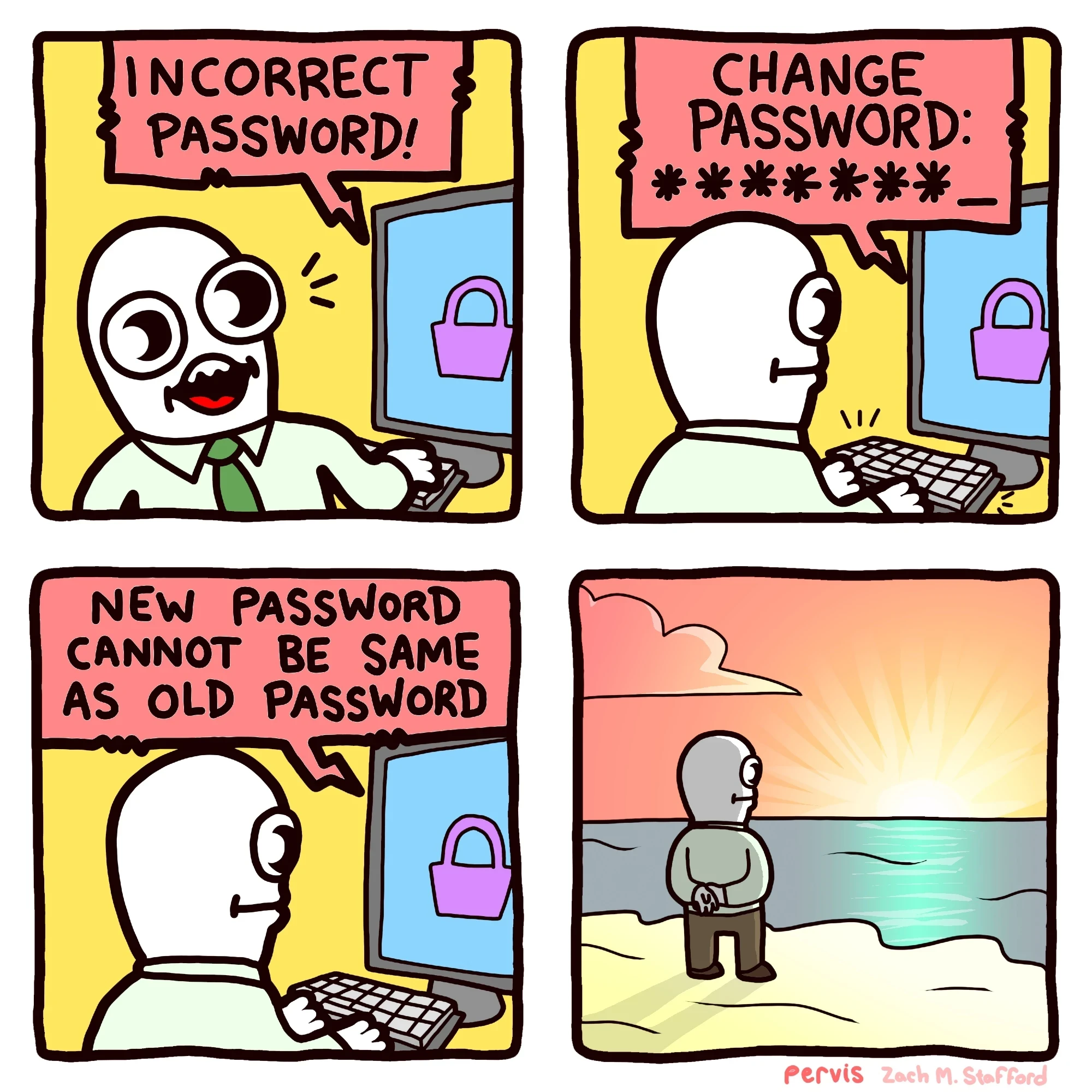
I’ve gotten “New password cannot be the same as the four previous passwords”. I live too far from a large body of water to watch the sun rise/set over the horizon and ponder my life.
Password1
Password2
Password3
Password4
Password5
Password1
Aaaaaaaand repeat.
Shuddup, you don’t know me!
You can really mix it up by changing the ! at the end with ?. The hackers will never expect that.
All I see is *********
That one is okay-ish. The one that is going to have me getting in the elevator with my samurai sword to go and have a chat with somebody is “Your password cannot contain any sequence of characters from previous passwords,” or “password cannot be your old password backwards.”
Sure, just admit to me that you’re storing passwords in plain text as carefree as you like.
The backwards one can be easily checked against the hash of the previous password, no need for plaintext.
Government sites do this to me more frequently than any other site. The worst part is that I use a password manager so I know for certain it’s the correct password.
Some sites have a character limit they don’t tell you about. They accept the password when you make it, but they also chopped off the last 10 characters.
Password is only 8 characters. It’s the perfect password!
deleted by creator
hahaha, you hunter2ing hunter2.
deleted by creator
Task failed successfully
Those devs need to go straight to jail. Do not pass Go.
Google, of all companies, limits passwords to just a hundred characters.
This happened to me yesterday. Turned out that the site had a password length limit on the reset-password-form, but not on the login page.
The worst is when I forget what the requirements for the password were, and that all I did was add a special character to the pw I thought it was. So when I get to the “enter new password” part, and it actually tells me that I need a special character, then I enter my current password and get this message
Atleast you found out your password
At least it’s not “Invalid, this password is already taken by user SweetyPie1997”
Is he watching the sunset, or did he throw his computer in the water?
Yes?
When that happens I usually just exit the password reset page without entering a new one and then log in again with the old
Incorrect Password
They invalidate it because they got hacked or they fucked up some other way but they don’t want to admit it, so they don’t tell you about it and they act like the user is wrong.
Ive never had a password continue to not work after doing this, personally, so I must not’ve encountered that reason
Fuck the cyber idiots and their “change password” requirements.
Current best practice in cybersecurity is to not arbitrarily ask users to change passwords every x days, so any site doing this are following old guidelines.
Yes, because among other things this annoys users into just writing down their password on a Post-It and sticking it to the bottom of their keyboard or monitor ripe for any passerby to take.
I have explained this to various management types repeatedly over the decades and nobody seems to get it.
I’ve had success directing people to the NIST password policy guidance.
Wow it’s almost as though somebody in there reads xkcd and knows about correct horse battery staple!
The folks at NIST know what they’re talking about. The US government directed them to develop security policy for government information systems in 2002 (FISMA) - they’ve been thinking about how to do this properly for 24 years.
If you happen to work for a US government agency of any kind, you can basically tell your boss “NIST guidance says we should do X” and compliance is technically required by law (within the context of security policies that apply to your agency’s work area). If you work for a company that does business with the US government, there are similar compliance policies also published by NIST that you should be following (and your company could lose its contracts if it is not compliant).
Static password with good 2FA is the way to go.
I ran into some app a while back that required 2fa “text you a code” to log in every time.
If you put in the wrong password, it still sent you the 2fa… Which it would accept for login.
I’m honestly not sure if it ever even checked the password.
I’ve seen an increase of sites that bypass passwords altogether and rely on 2fa (claude.ai was one I noticed the otherday)
That’s… not 2FA anymore. It’s reverted to 1FA, now with sprinkles on it.
Those aren’t sprinkles.
But also ‘passwords don’t even matter anymore. They don’t keep you safe. Get an MFA’ And yet it has to be changed every 3 months with complicated instructions on characters
my bank blocks the ability to copy and paste passwords into the password change form.
want to have a 128 character alphanumeric password with multiple special characters? you’re going yo type it allllll in, twice.
oh, you have
@%:;}°¥¢characters in your password? we only allow!?+-(). now do it again.hey, we noticed your password has too many repeating characters. repeating characters:
88now do it again.hey, your password must start with a letter.
hey, can’t be an uppercase letter.
hey, can’t end with
0
Might this be useful to you? https://github.com/jswanner/DontF-WithPaste
almost as bad as directtv
Was working on my gramps account yesterday… the website auto logs you out when you click a link then they have a limited amount of times you can do email 2fa in a 24h period so after 4 or 5 logout you are locked out of your account for 24h
I like the businesses that ask you for your email address and they send you a code and then you put that code into their box and they do a new one every time like that, so there’s never a password required.
my bank did this shit to me. I finally tracked down a dev that worked on the software through LinkedIn.
I asked why the fuck does this happen. their response?
When your password expires it will give you a password invalid on login. this is the best way the software can force a password change.
I seriously wanted to hurt the guy, but realized he was just trying to deliver a feature that his boss wouldn’t give him the time to fully deliver on.
now, for a moment, just imagine how many other corners were cut when your banking software was written…
God the college I went to had you change your password once a semester, so twice a year. But the password couldn’t be the same as any of your last six passwords. What the fuck are you expecting from me?
Append the year and month to the password.
What the fuck are you expecting from me?
PasswordSpring2026!
There’s something about the mouth on this character that reminds me of this ancient GIF: https://tenor.com/view/cereal-funny-laugh-explode-milk-gif-7566949
This feels like some weird porn
Why can’t people use a password manager
I do, but more and more sites are unintentionally (or intentionally?) making them hard to use, by relying on Javascript triggers, like requiring typing in each field or at least putting each field into focus, before the “log in” button becomes active.
Peak anti-usability. You sure you want to login there?
One is my bank, so, kinda, yeah. That one just has the “active” triggers, so it’s easy enough to click-click and then login.
I forget what the other one I hit occasionally is, I just did it the other day, too. That one I actually have to type a character then delete it after the password manager fills in so I can log in.
I can’t figure out why they are doing this…I guess it’s so that you don’t accidentally try to log in before typing username and password, but…
I still haven’t seen one of those asshole site
I prefer having my passwords stored on paper in cyphers.